
How do I cancel, skip, or edit my subscription?Updated 3 months ago
Managing your subscription is super easy! Here's how:
Step 1: Log in to your account
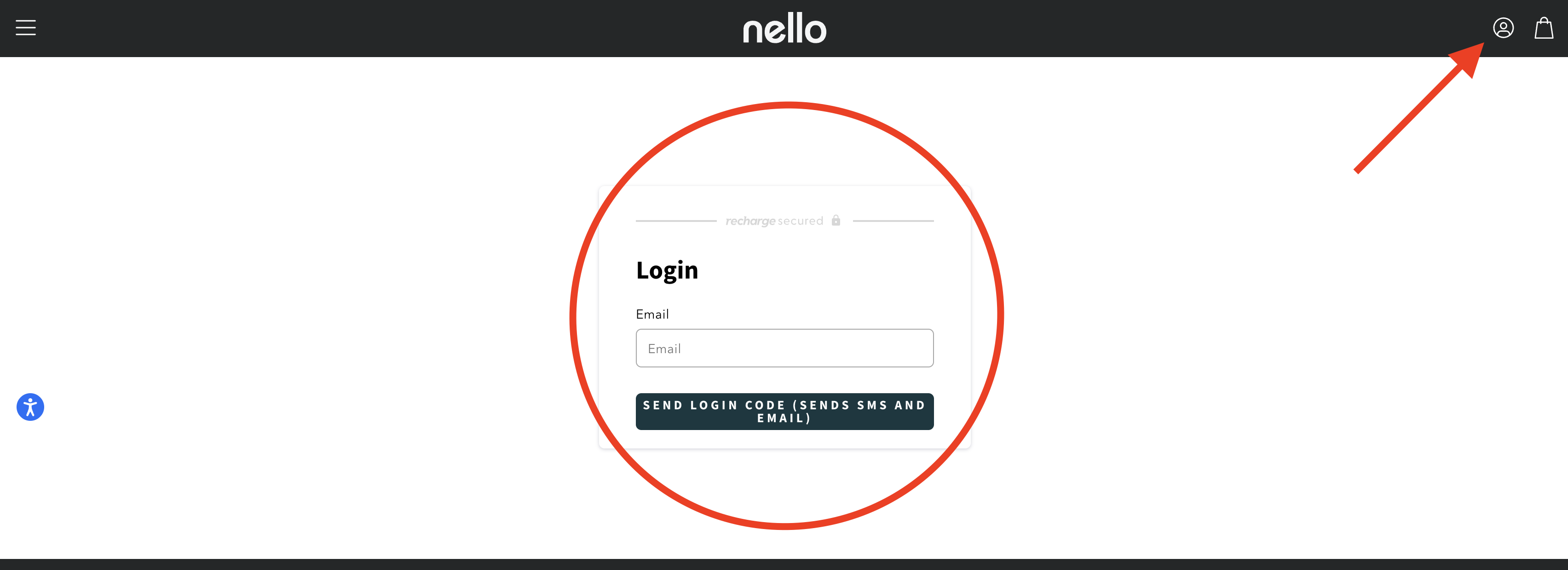
- Go to drinknello.com and click the account icon in the top right corner (next to the cart)
- Enter the email you used for your first order
- Check your inbox for a login code (if you don't see it, check spam!)
Step 2: Make your changes
Once you're in, you'll see your active subscriptions. From here, you can edit literally anything:
- Delivery address
- Delivery frequency (skip a month, change to every 45 days, etc.)
- Product or flavor
- Payment method
- And more!
Step 3: To cancel (if you need to)
There are two ways to get to the cancel button:
Option 1:
- Click "Edit" under your product subscription
- Scroll down and click "Cancel Subscription"
- Follow the prompts
Option 2:
- Click "Subscriptions" in the right column
- Click "Edit" next to your subscription
- Scroll to the bottom and click "Cancel Subscription"
That's it! Any changes you make will be reflected in your account immediately.
For my visual learners, you can follow the pictured instructions below:
Step 1: Log in toyour account on our website
Step 2: Manage/cancel your subscription
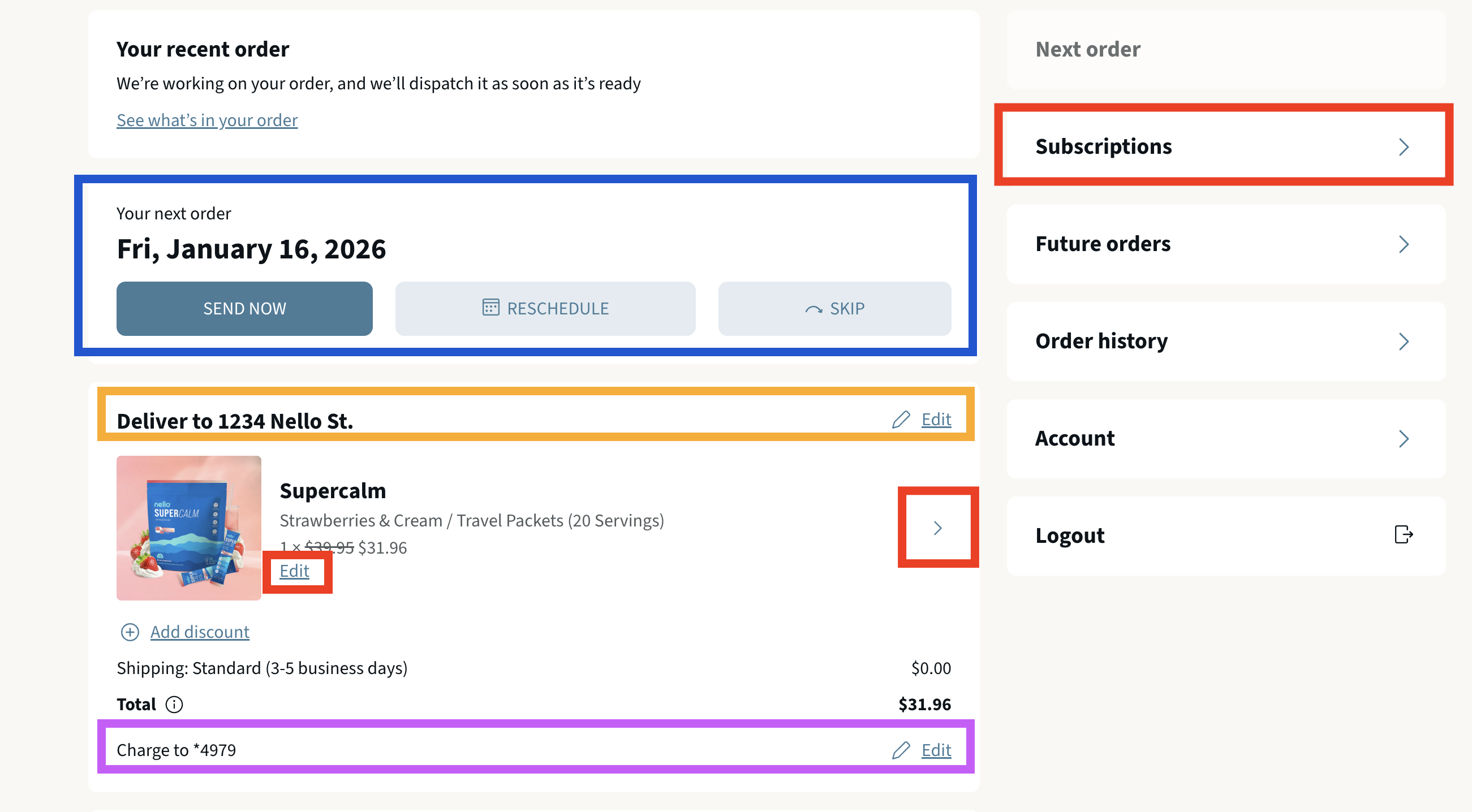
Blue Box: You can modify the frequency of your subscription, skip your next shipment, or create a new order right away.
Orange Box: You can edit your delivery address here
Purple Box: You can edit your card on file that will be used for all future orders
Red Boxes: Use this to cancel your subscription. Click either of the sections and scroll down to the bottom, and you will be able to cancel from there.
If you run into any issues or need further assistance, please get in touch with our support team at [email protected]